 Get it on Google Play
Visualize your call history.
See who you called and when, right inside Google Calendar. Track call durations, spot patterns, and keep a reliable log of every conversation.
- Sync with any calendar
- Detailed metadata
Automatically sync your Android texts and call history to your own Google Calendar. Pick one calendar for both or one for each, search them any time, and see your call habits at a glance.
Free on Google Play, for Android. No servers: your texts and calls go straight to your own Google Calendar.
A phone shows a text from Sarah, a missed call from Mom, a text from Mom and an outgoing call arriving. Message Mirror copies them to Google Calendar. A search for mom then shows the missed call and the text from Mom.
Three steps, all on your phone. Want the long version? Read the guide to syncing Android texts and call logs to Google Calendar.
Message Mirror asks to read your texts and your call log. Contact names are optional. You see what each permission is for before you agree.
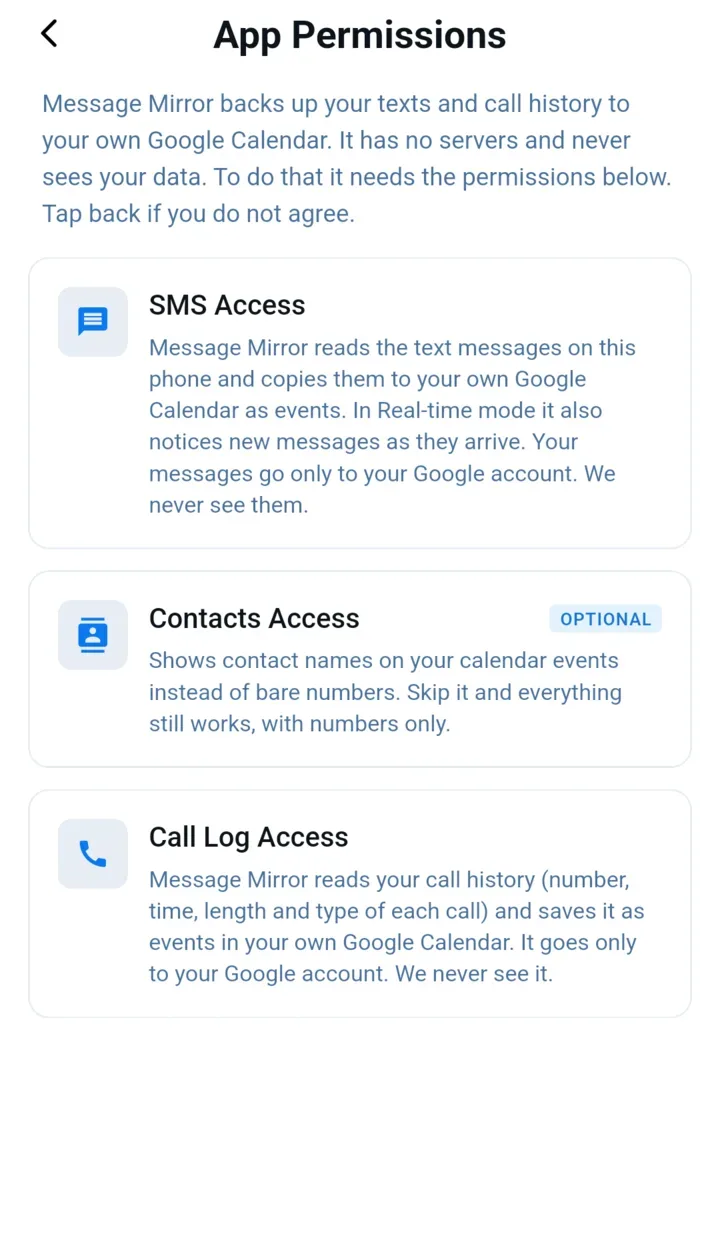
Sync texts, calls or both. Use one calendar for both or one for each.
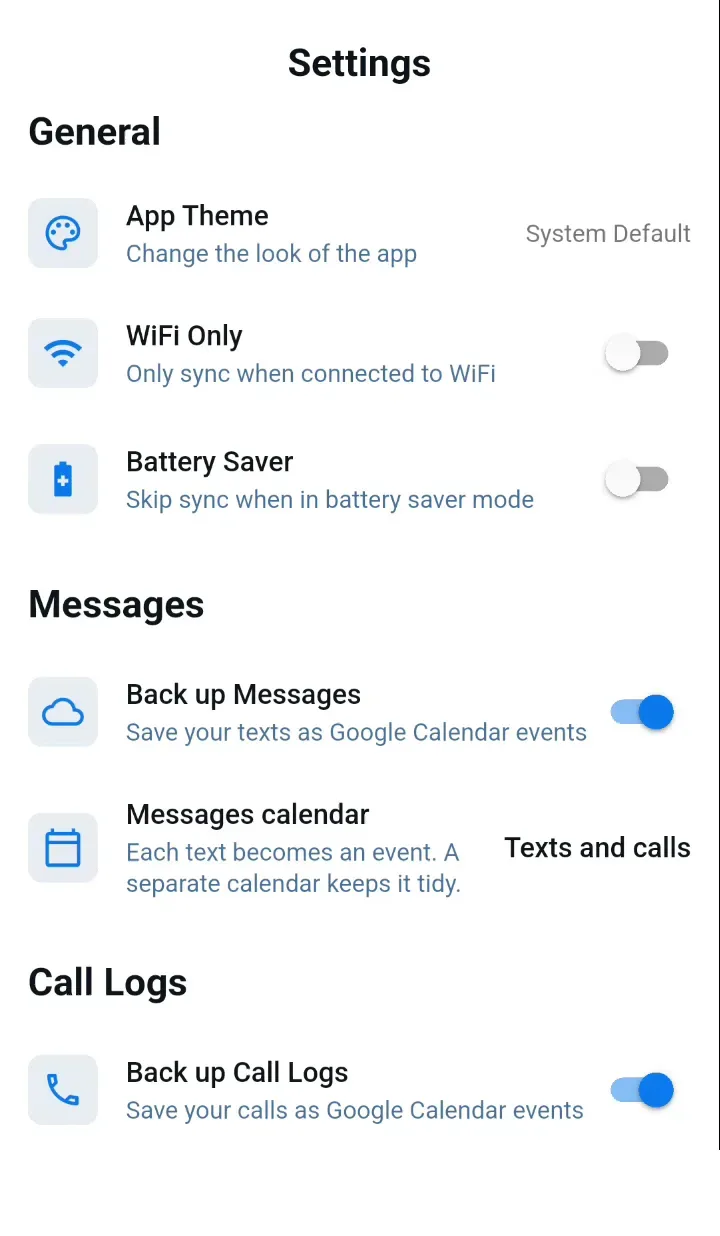
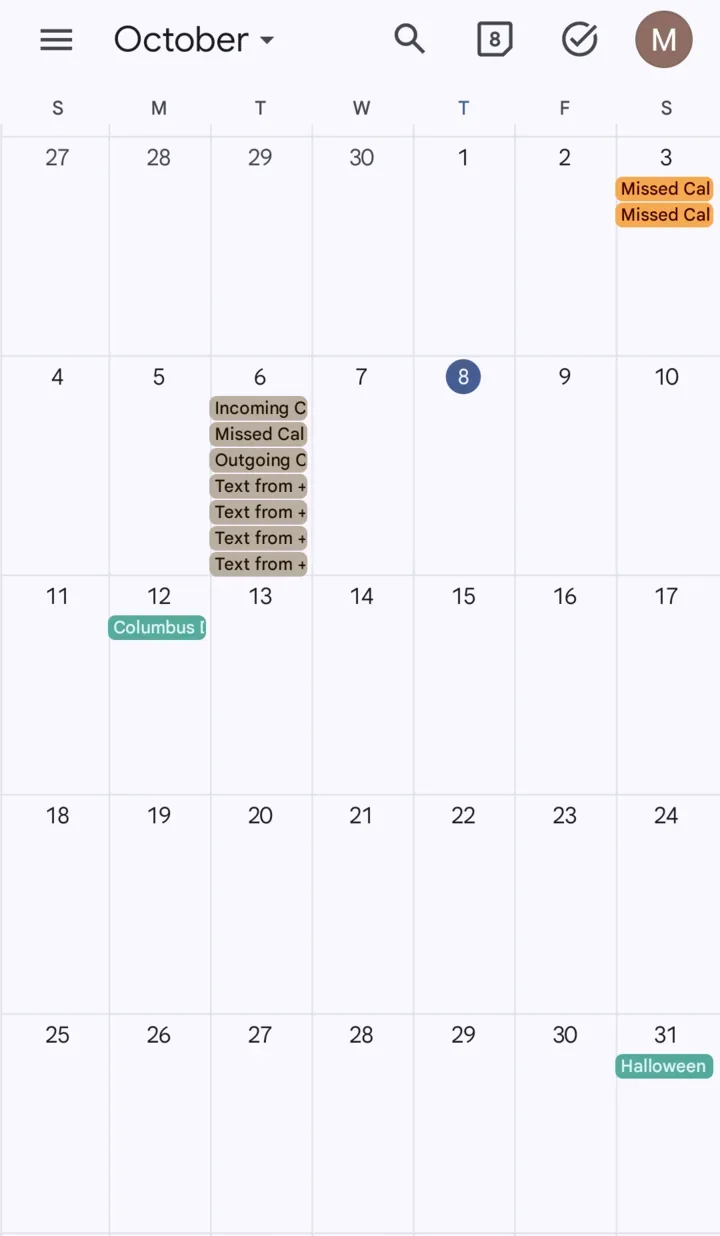
Tap Sync now, or let it run on its schedule. Each text and call becomes a private event you can search in Google Calendar.
Captures from the Android app, using a test account and sample messages.
See exactly how your data appears in your Google account.
See who you called and when, right inside Google Calendar. Track call durations, spot patterns, and keep a reliable log of every conversation.
Every text is saved as a private event with the message in its description. Use the search box in Google Calendar to find gate codes, wifi passwords, or sentimental messages from years ago.
Your texts and calls are personal. This is how we keep them that way.
Read the privacy policyCheck it against Google's own pages
Payments are not switched on yet, so MessageMirror is free to use today. When they are, pick the plan that suits you and cancel or switch any time. The first sync copies up to 90 days of texts, and new messages are added after that.
Flexible monthly plan.
Save with an annual plan.
Pay once, own it forever.
Your messages and calls go straight from your phone to your own Google Calendar over an encrypted Google connection. We have no servers in between, so we never see or store them. They are then protected by the security of your own Google account.
MessageMirror is designed to be efficient with data usage. In the settings, you can choose to only sync when connected to WiFi if you prefer, and it only syncs new messages after the first sync.
Yes. Each text is saved as a calendar event with the message in its description, so the search box in Google Calendar finds it by keyword or contact name, and you can jump to any date to see what was sent that day.
The first sync copies up to 90 days of your text messages to Google Calendar, each placed at the time it was sent. After that, new messages are added as they arrive or on the schedule you set. Older texts stay on your phone, and MessageMirror does not sync picture messages or put texts back onto a phone.
No. You choose where texts and calls go. Put them in one calendar of their own, or give texts and calls a calendar each, and hide or delete that calendar in Google Calendar whenever you like. The events are private, marked as free so they never block your time, and have no reminders. Keep that calendar unshared and only you can see them.
MessageMirror runs in the background using Android's best practices to ensure minimal impact on your phone's performance. You can turn off automatic sync if you prefer, and sync your messages and call logs on demand whenever you choose.
Payments are not switched on yet, so there is nothing to cancel today. Once they are, you can cancel at any time with no penalties, and your synced data stays in your Google Calendar.
A question, an idea or a bug to report? We read every message and reply by email.